- Overview
- Updates
- Privacy
Zoom into specific headings or lists to focus on content without distractions. Hide everything else for a clearer view and easily navigate your notes. Use hotkeys to zoom in and out, enhancing your note-taking experience.
Obsidian Zoom


Zoom into heading and lists
⁉️ Discuss ideas or ask a question
⚙️ Follow the development process
🐛 Report issues
Demo
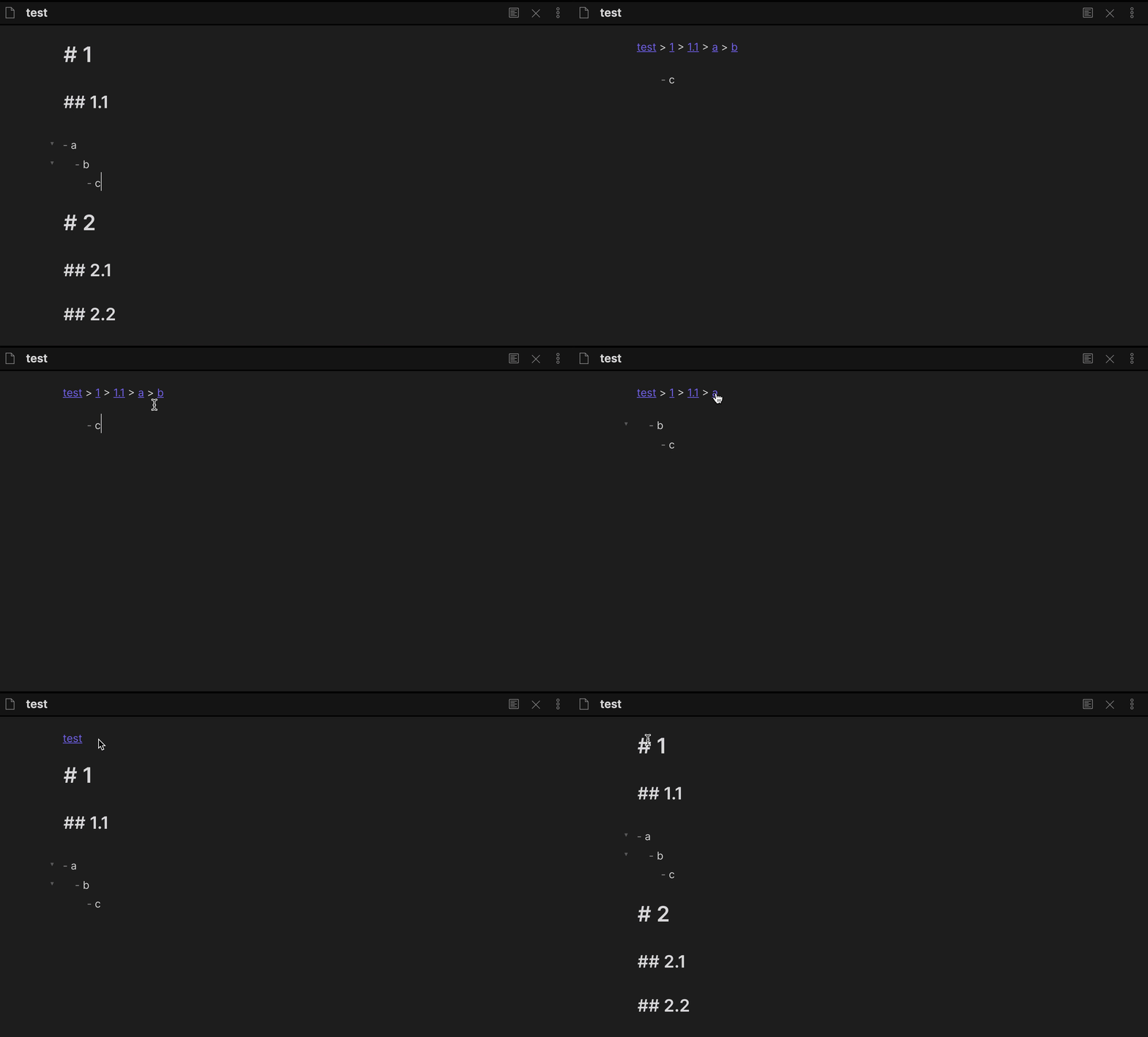
How to install
From within Obsidian
You can activate this plugin within Obsidian by doing the following:
- Open Settings > Third-party plugin
- Make sure Safe mode is off
- Click Browse community plugins
- Search for "Zoom"
- Click Install
- Once installed, close the community plugins window and activate the newly installed plugin
Manual installation
Download main.js, manifest.json, styles.css from the latest release and put them into <vault>/.obsidian/plugins/obsidian-zoom folder.
Features
Zoom in to a specific list or heading
Hide everything except the list/heading and its content.
| Command | Default hotkey (Windows/Linux) | Default hotkey (MacOS) |
|---|---|---|
| Zoom in | Ctrl. | Command. |
| Zoom out the entire document | CtrlShift. | CommandShift. |
| Setting | Default value |
|---|---|
| Zooming in when clicking on the bullet | true |
Debug mode
Open DevTools (Command+Option+I or Control+Shift+I) to copy the debug logs.
| Setting | Default value |
|---|---|
| Debug mode | false |
Pricing
This plugin is free for everyone, however, if you would like to thank me or help with further development, you can donate in one of the following ways:
Patrons & Supporters
I want to say thank you to the people who support me, I really appreciate it!
- Lucas D
- Philipp K.
- Daniel B.
- Mat Rhein (@mat_rhein7)
- Ollie Lovell
- Faiz MK (@faizkhuzaimah)
- more patrons and anonymous supporters
Created
May 23, 2021
Last updated
May 4, 2023
Updates
20 releases
Downloads
102k
Compatible with
1.1.16+
License
MIT