Plugin
Recent Files
Tony Grosinger825.4k
Display a list of recently opened files.
- Overview
- Updates
- Privacy
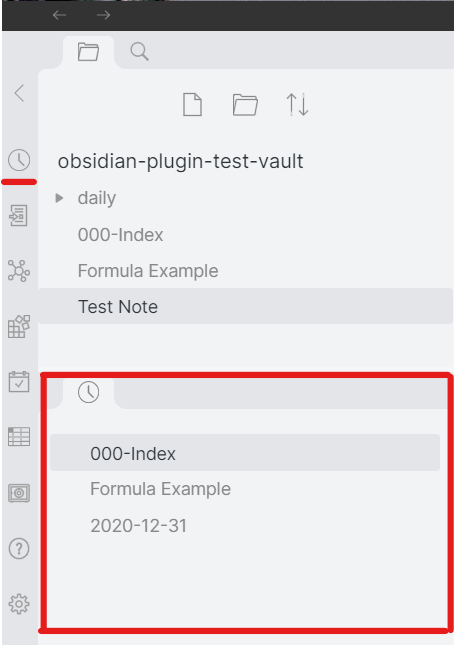
Display a list of recently opened files in the sidebar for quick access. Exclude specific paths, tags, or bookmarks as needed. Click to open, drag to link, and hover for content previews to streamline your workflow.
Recent Files for Obsidian
This plugin displays a list of most recently opened files in the sidebar. Optionally, exclude certain paths, frontmatter tags, or bookmarked files.
That's all there is to it!
As with the file explorer view, you can:
- Click items to open, ctrl-click to open in a new pane, right-click for a menu
- Drag items to an editor to drop a link, to a header to open in a specific pane, or to a file explorer folder to move the file
- Hover or ctrl-hover to view a content preview (as configured by the "Recent Files" toggle in the "Page Preview" settings)
Screenshots
Other Plugin Support
If you use the Front Matter Title plugin, enable the explorer module to name files in the Recent Files sidebar from the note frontmatter title.
Pricing
This plugin is provided to everyone for free, however if you would like to say thanks or help support continued development, feel free to send a little my way through one of the following methods:



Created
Jan 10, 2021
Last updated
Jan 3, 2025
Updates
31 releases
Downloads
825.4k
Compatible with
0.16.3+
License
GPL-3.0